JavaInspect - Usage via Java API
Table of Contents
1. Overview
Classes to be visualized must be available in the classpath.
To include JavaInspect in the same classpath as your projects, there are two approaches:
- Add JavaInspect as a dependency in your project.
- Create a new Java project specifically for visualizing other projects, and include both JavaInspect and your project's binary artifacts (JARs) in the classpath. Binary JARs (without source code) are sufficient since JavaInspect operates via reflection.
Write simple control/configuration code for each project. I typically place this code in JUnit test directories since it doesn't need to be compiled into the final product or artifact.
The control code generally does the following:
- Create a graph object.
- Java reflection/classloaders do not provide a mechanism to discover all classes under a package. Therefore, manually add at least some classes to the graph. For each class added, JavaInspect recursively inspects it and adds all referenced classes.
- Graphs can easily become very large and complex, so optionally filter important code using classname glob pattern blacklists and/or whitelists.
- Optionally tune rendering parameters:
- Remove orphaned classes (classes with no references) from the graph.
- Specify target directory for generated files (default: current directory).
- Keep intermediate GraphViz DOT file for later inspection.
- Render the graph.
2. Embedding JavaInspect in your Maven project
Declare JavaInspect as dependency:
<dependencies>
    ...
    <dependency>
        <groupId>eu.svjatoslav</groupId>
        <artifactId>javainspect</artifactId>
        <version>1.8</version>
    </dependency>
    ...
</dependencies>
Add Maven repository to retrieve artifact from:
<repositories>
    ...
    <repository>
        <id>svjatoslav.eu</id>
        <name>Svjatoslav repository</name>
        <url>https://www3.svjatoslav.eu/maven/</url>
    </repository>
    ...
</repositories>
3. Examples
3.1. Example 1: Hand-picked objects
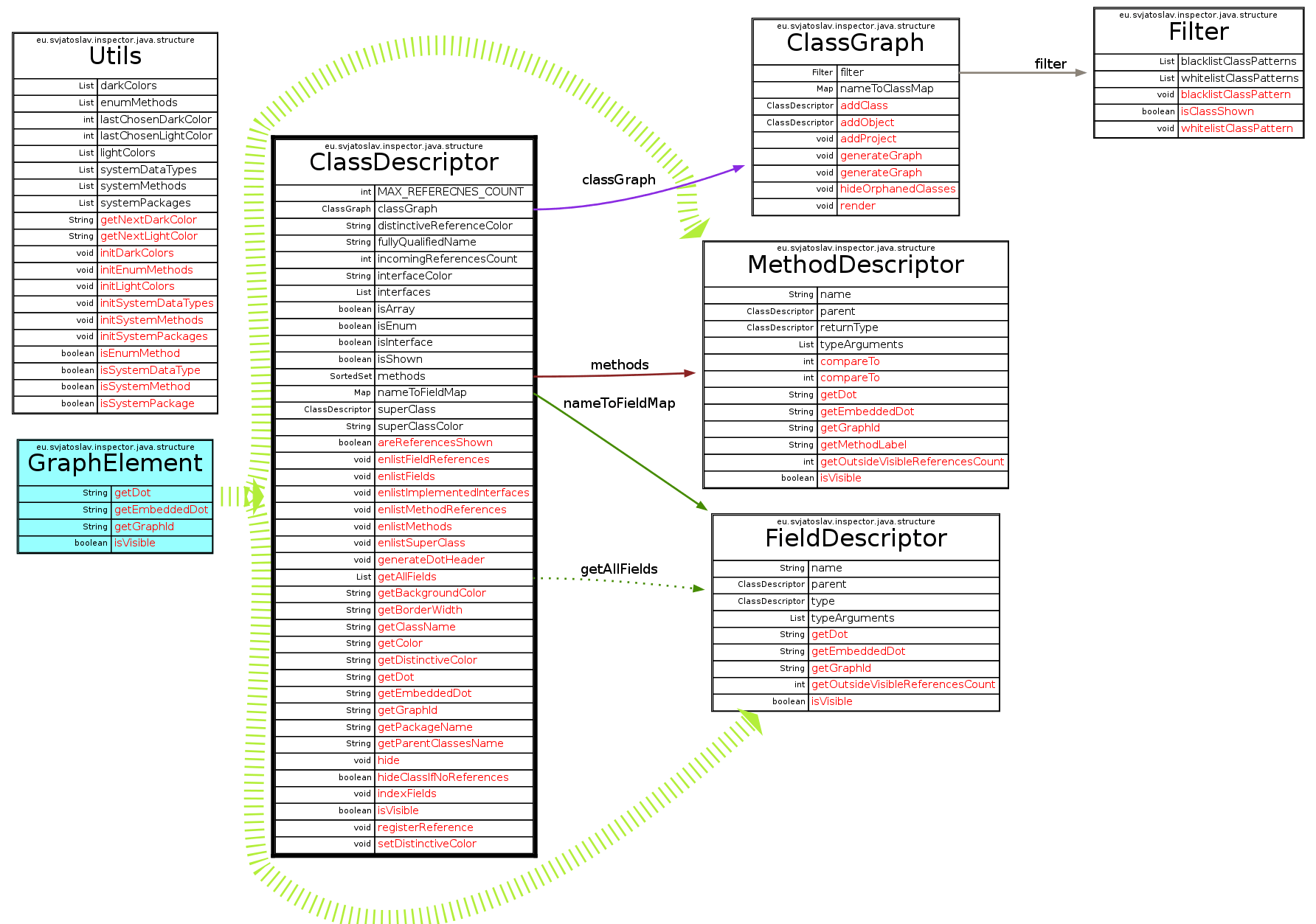
This example generates a class graph from hand-picked classes, visualizing JavaInspect itself.
// Create graph
final ClassGraph graph = new ClassGraph();

// Add an object to the graph. JavaInspect detects the class from the object.
graph.add(graph);

// Also add a class directly.
graph.add(Utils.class);

// Keep the intermediate GraphViz DOT file for reference.
graph.setKeepDotFile(true);

// Generate an image named "JavaInspect.png" in the current directory
graph.generateGraph("JavaInspect");
Compact version:
new ClassGraph().add(randomObject, RandomClass.class)
                .setKeepDotFile(true).generateGraph("JavaInspect");
Result:
- Generated DOT file: JavaInspect.dot
- Generated PNG image: JavaInspect.png
3.2. Example 2: Embedded in another project
Outdated: this example refers to the old Sixth project (since renamed
Aukio); DataGraph.java no longer exists there. Kept for reference.
- Download a Sixth project snapshot.
- Inspect and run DataGraph.java.